Learn Vim's grammar
on the go
See each command animated, then try it yourself.
VimKata teaches the grammar — your keyboard does the rest.
Try your first exercise — it takes 30 seconds


Base levels always free · No account required
How it works
Each exercise follows the same cycle
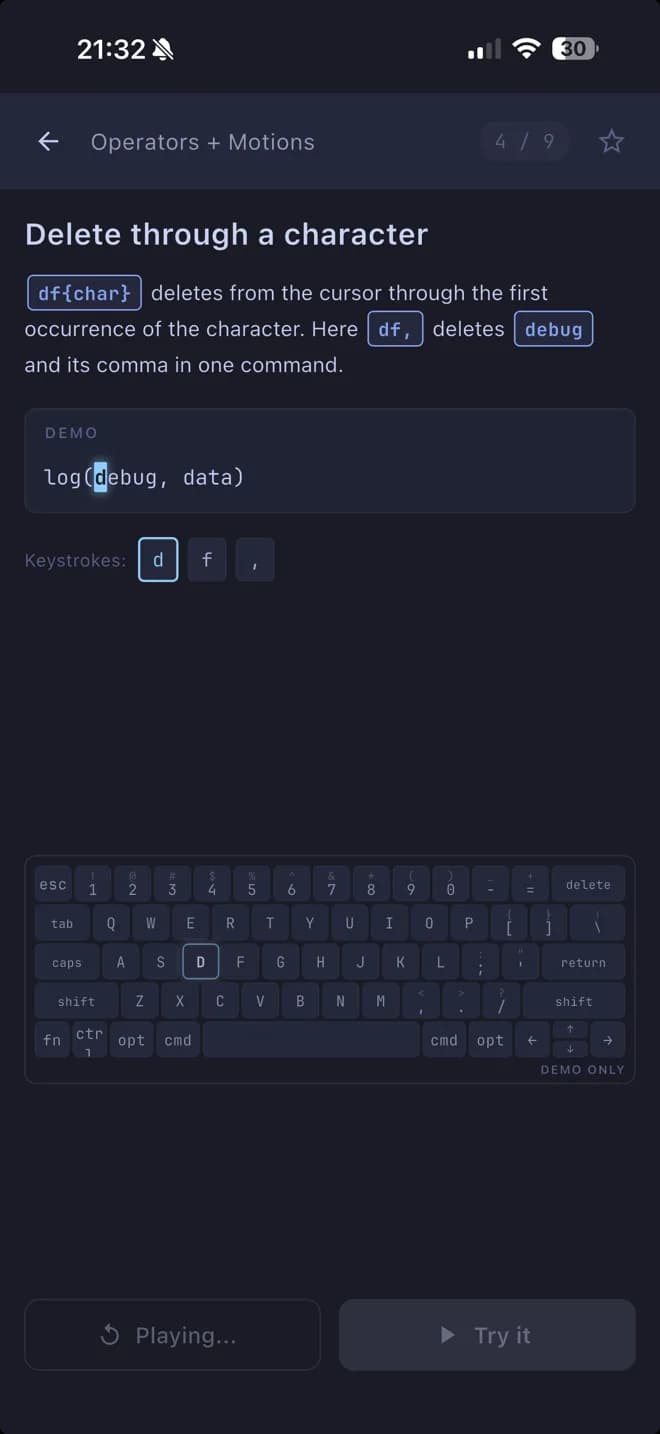
Watch the command animated
The buffer changes in real time. A keyboard replica highlights each key. You see the result before you try anything.
You never guess. You see it first.
Your turn — practice it
Same buffer, reset to the start. Type the commands on the on-screen keyboard. A keystroke counter shows how you're tracking against optimal.
Now make it happen.
See how you did
Your grade appears instantly. See the optimal solution alongside yours. Retry to improve, or move on.
Retry or move on.
Why VimKata
A different way to learn Vim
Build the mental model in VimKata. Build the muscle memory at your keyboard.
You see it before you try it
Every exercise starts with a demo. The buffer animates one keystroke at a time. A keyboard replica highlights which key is being pressed. You build a mental model of what Vim actually does — so when you're at your keyboard, you already know what to expect.
You try it on real code
Exercises use real JavaScript, Python, HTML, CSS, and Markdown. Each exercise has a concrete editing goal: transform this code into that code. One concept per exercise. Multiple valid solutions, one known optimal.
You know exactly where you stand
Every exercise produces a grade — from S (you matched the optimal) to D (keep practicing). The app shows the optimal solution alongside yours so you can see exactly which pattern would have been shorter.
You learn a system, not a list
Vim's power comes from composability: a small set of operators and motions combine into hundreds of editing commands. VimKata teaches this as a system. Learn the grammar here, and it follows you to your editor.
Curriculum
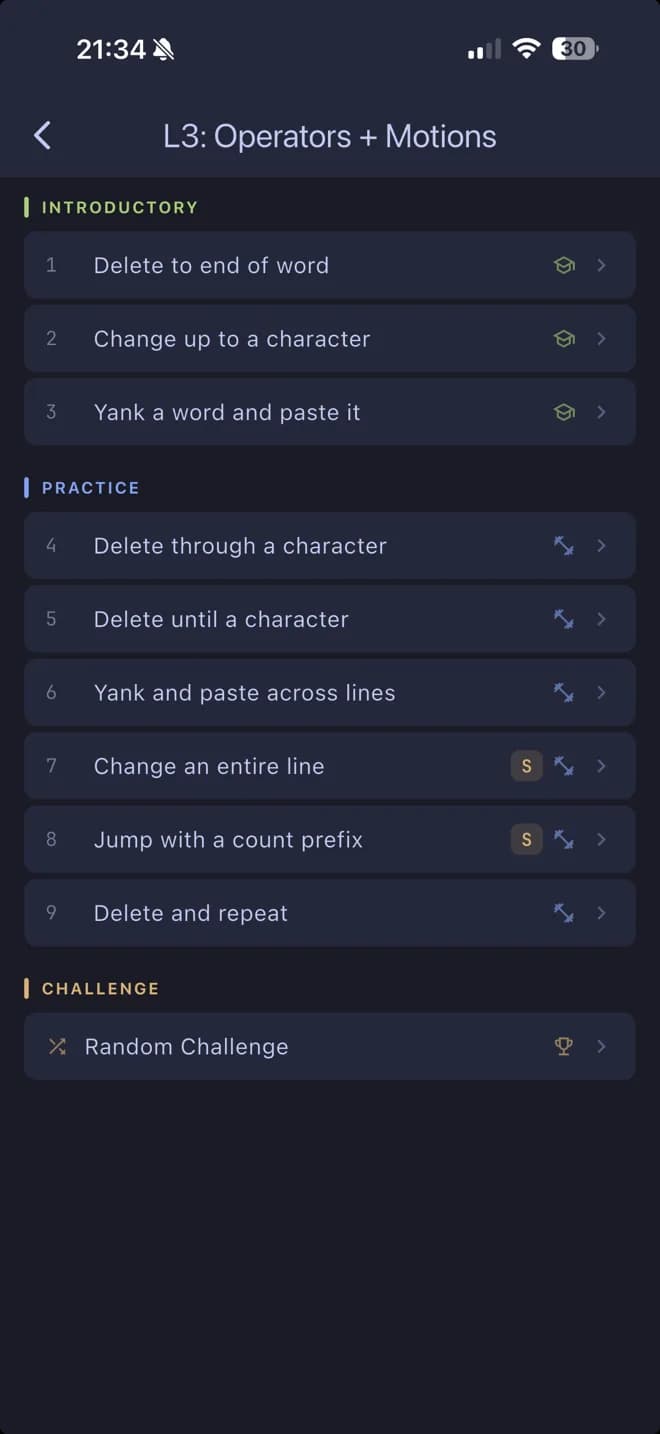
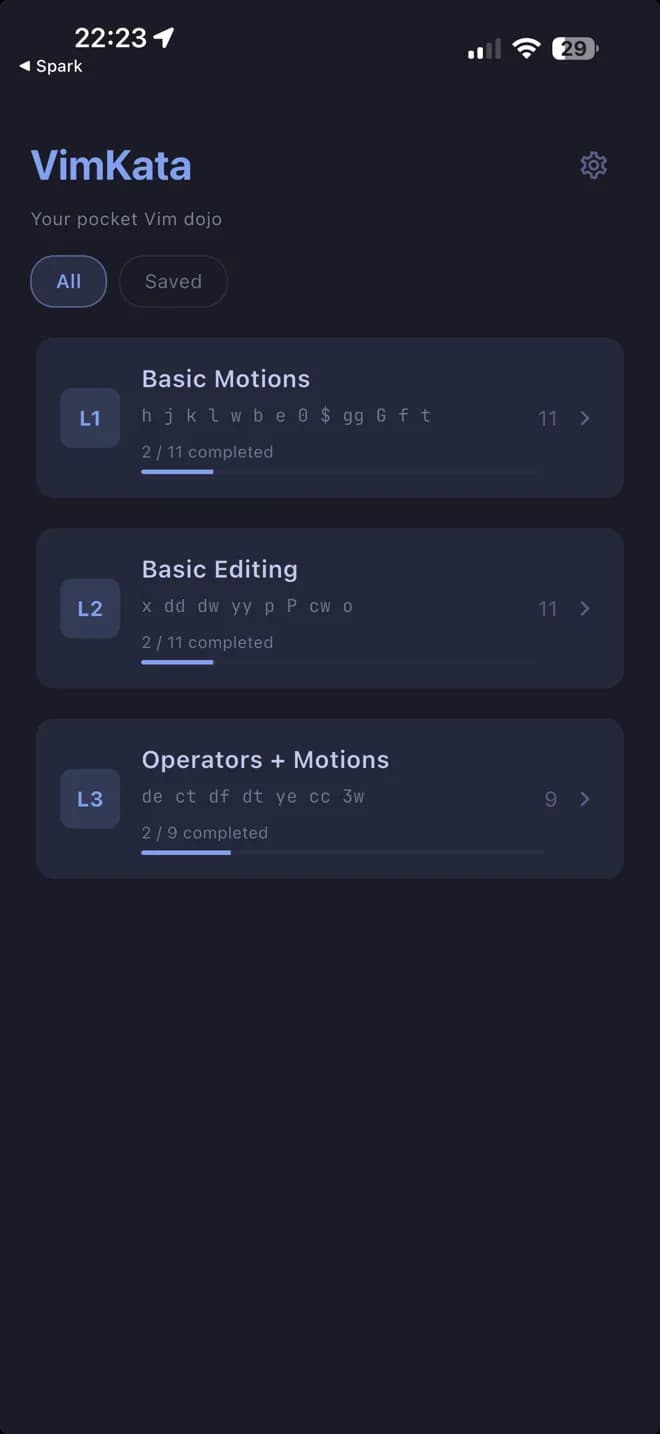
7 levels. 134 exercises.
From your first motion to visual selections. 60 exercises free forever — unlock the rest with a one-time purchase.
Basic Motions
h j k l w b e 0 $ gg G
Basic Editing
i a o x dd yy p u .
Operators + Motions
dw de d$ cw ce c$ yw ye
Text Objects
diw ciw ci" da" ci( di( ci{
Quick Edits
r s J O I D C ^ ~
Navigation Mastery
W B E F T ; , %
Visual Mode
v V d y c ~ o
One-time purchase. No subscription.
Sound familiar?
You want to learn Vim, but nothing has worked yet.
You learn best by doing, not by reading. You want structure, not a 500-page reference. You want short sessions that fit between other things. You want to see what a command does before you're expected to use it.
- ?
You tried vimtutor and gave up after 20 minutes because it felt like reading a manual?
- ?
You watched a YouTube tutorial and forgot everything by the next day?
- ?
You saw a developer editing code at impossible speed and thought — I want that?
- ?
You started using terminal-based AI tools and realized the terminal is becoming your main workspace?
- ?
You installed a Vim extension in your editor, got frustrated, and turned it off?
$And you want to know whether you're doing it well or just getting by. VimKata gives you that answer — on every exercise.
Common questions
Honest answers
Alternatives
You have options. Here's how they compare.
The most common question on r/vim: “I finished vimtutor, now what?” VimKata is the “now what.”
Text-only. No visual feedback on what happens to the buffer. No scoring. No exercises to repeat. And the gap between "vimtutor complete" and "productive Vim user" is massive.
VimKata
Animated demos, instant scoring, repeatable exercises
Watching someone use Vim is passive. You forget most of it by the next day. There's no practice component, no structured progression, and no way to know if you're actually getting better.
VimKata
Every concept is practiced, scored, and repeatable
Covers a tiny fraction of Vim. Only basic motions, no real editing, no composable grammar. Teaches Vim through game puzzles, not real code. Development stopped years ago.
VimKata
Real code exercises, composable grammar, actively developed
Without structure, you'll form bad habits, hit frustration walls, and likely give up. Most beginners abandon Vim within the first hour.
VimKata
Progressive structure and visual feedback from day one
Where this takes you
After 7 levels, you open your editor and the commands are already there. ci" to swap a string. dap to delete a block. You don't look things up — you think in Vim's grammar. The wall between “I know the basics” and “I actually edit this way” is behind you.
Try your first exercise — it takes 30 seconds.
No account required. 3 levels free forever.
 VimKata
© 2026 VimKata. All rights reserved.